Gallery · Mobile app
A mobile booking app, designed by an AI agent
Updated
Cairn Climbing is a made-up indoor climbing gym. From the prompt below, Claude Code designed the booking flow of its iPhone app on a Saymock board: four screens, from the day’s sessions to the check-in code, linked so you can tap through them.
The prompt
Design a mobile booking app for an indoor climbing gym: today's sessions, a session's details, picking a day and time slot for one or more climbers, and the confirmation with a check-in code. iPhone, warm and sporty.
Agent: Claude Code, through Saymock’s MCP server. Nobody touched the screens by hand.
The screens
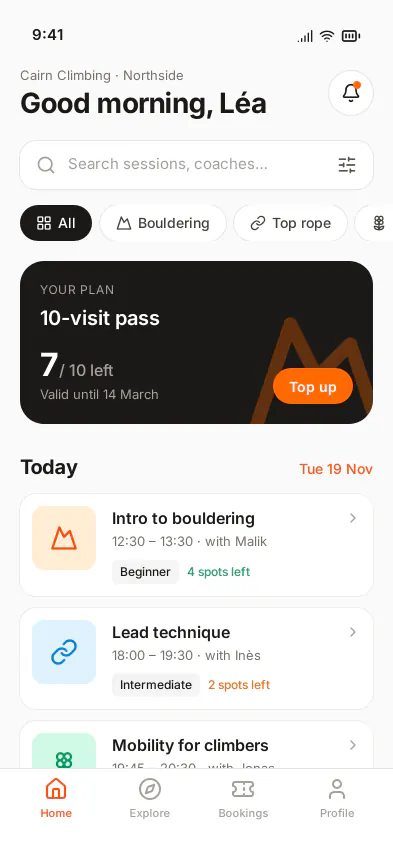
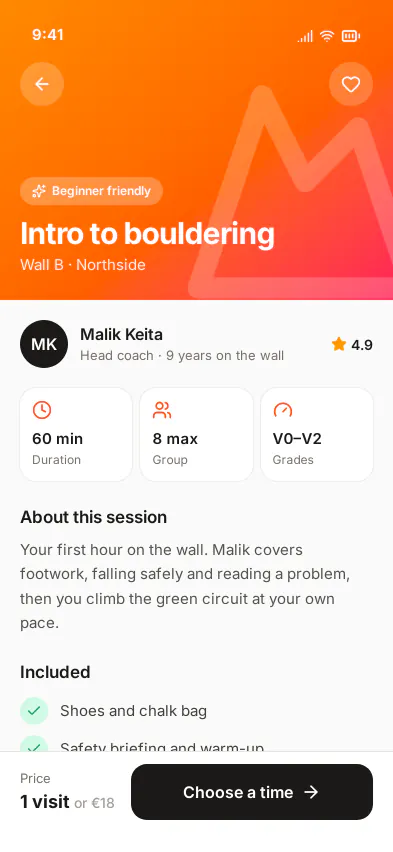
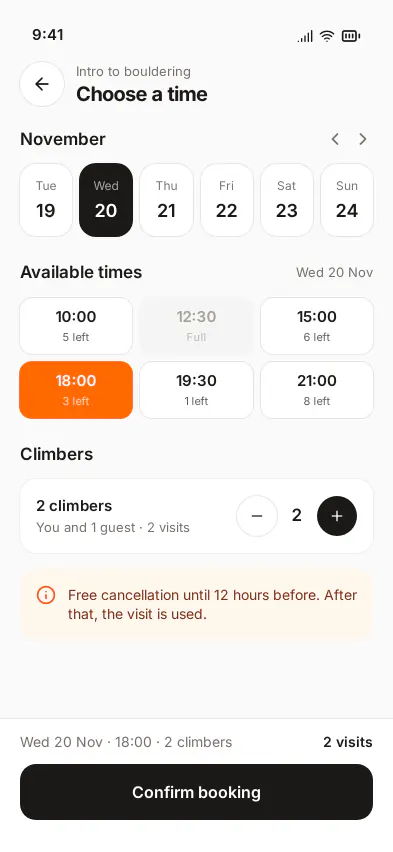
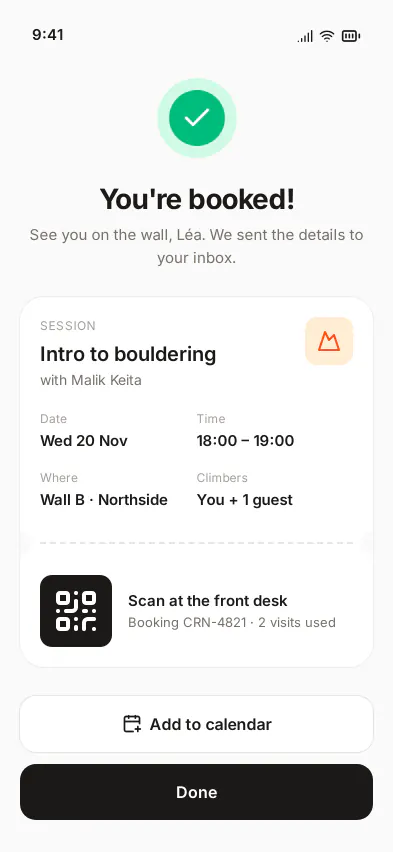
What makes it editable
- A prototype, not a picture. The session card opens the detail, Choose a time opens the slots, Confirm booking opens the ticket and Done goes home, with back links: the flow plays in a phone frame.
- iPhone 16 frames at their real size, 393 × 852: what you check on the board is what fits on the phone.
- A note on the board beside the screens gives the prompt and the agent’s design choices, so the next person (or agent) knows why it looks like this.
- From design to the app: the agent reads the screens back as layout specs in points, with SF Symbols, for SwiftUI, Compose or Flutter. See design to code.
Make your own
- Connect your agent to Saymock: Claude Code, Cursor, Codex, ChatGPT or any MCP client.
- Paste the prompt with your own business: a yoga studio, a restaurant, a clinic.
- Ask for the empty, loading and error states next to each screen.
More boards in the gallery. See also: mobile app mockups with an AI agent, wireframes, Saymock for Claude Code.