Skip to content
saymock
Product Agents Use cases Developers FAQ Pricing
EN, English
  • Français
  • English
  • Deutsch
  • Español
  • Português
  • Italiano
  • Nederlands
  • 日本語
  • 한국어
  • 简体中文
Theme
Sign in Try it

Gallery · E-commerce

An e-commerce product page and checkout, designed by an AI agent

Updated November 18, 2026

Wickhouse is a made-up candle shop. From the prompt below, Claude Code designed its product page on desktop and the bag and checkout on a phone, on a Saymock board, with scent notes, sizes, reviews and an express checkout.

Make your own, free Open the live board Connect your agent

The prompt

Design a product page for Wickhouse, a small-batch candle shop: gallery, scent notes, size and quantity, reviews and related products on desktop, then the bag and checkout on mobile.

Agent: Claude Code, through Saymock’s MCP server. Nobody touched the screens by hand.

The screens
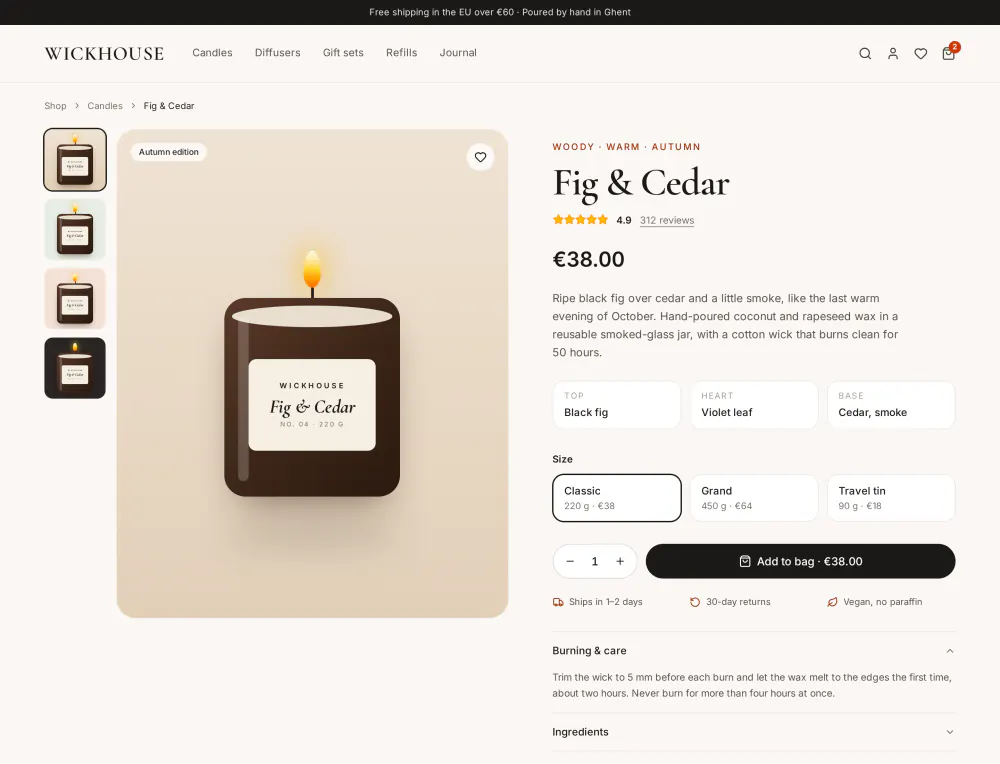
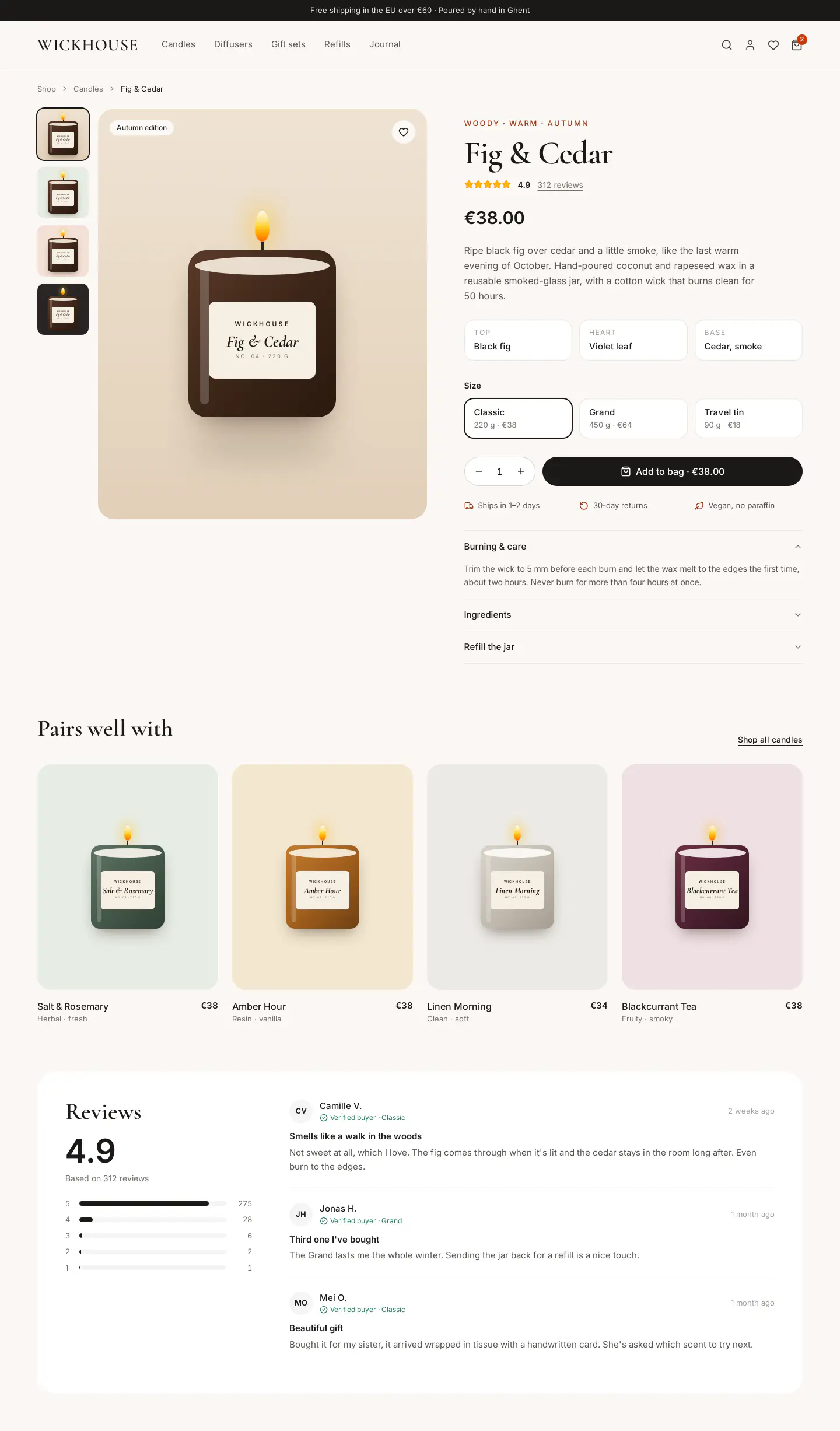
Wickhouse's product page on desktop: thumbnails and a large candle in a dark jar, the name “Fig & Cedar” at €38, top, heart and base notes, three sizes, a quantity stepper, an add-to-bag button and care instructions.
Product page, 1440 wide, 2,453 px tall: gallery, scent notes, sizes, quantity, care.
See the whole product page Wickhouse's product page on desktop, top to bottom, down to the reviews and related candles.
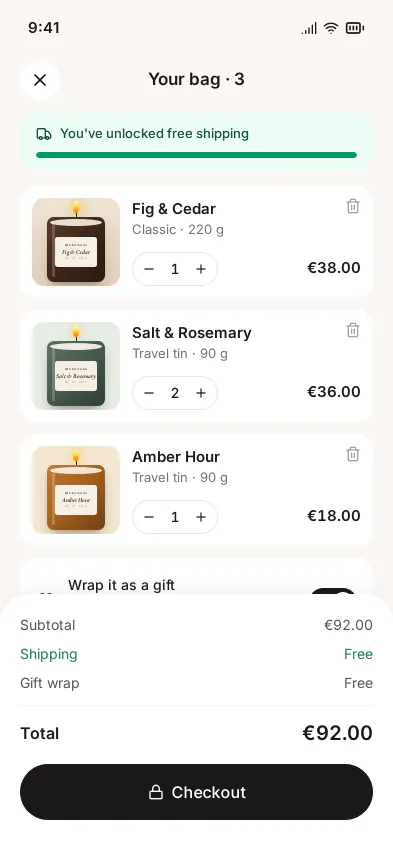
The bag on a phone: three candles with their size, quantity and price, a free-shipping bar, a gift-wrap option, the total of €92 and a checkout button.
Bag, 393 × 852. Its Checkout button opens the checkout.
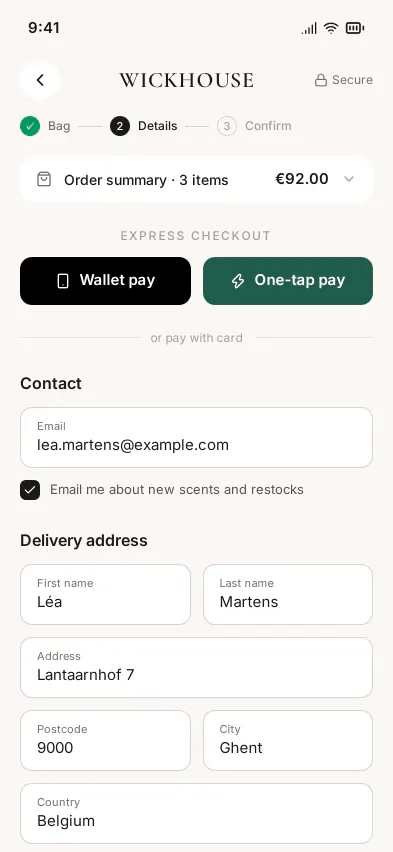
Checkout on a phone: three steps, the order summary, express payment buttons, then contact and delivery address fields.
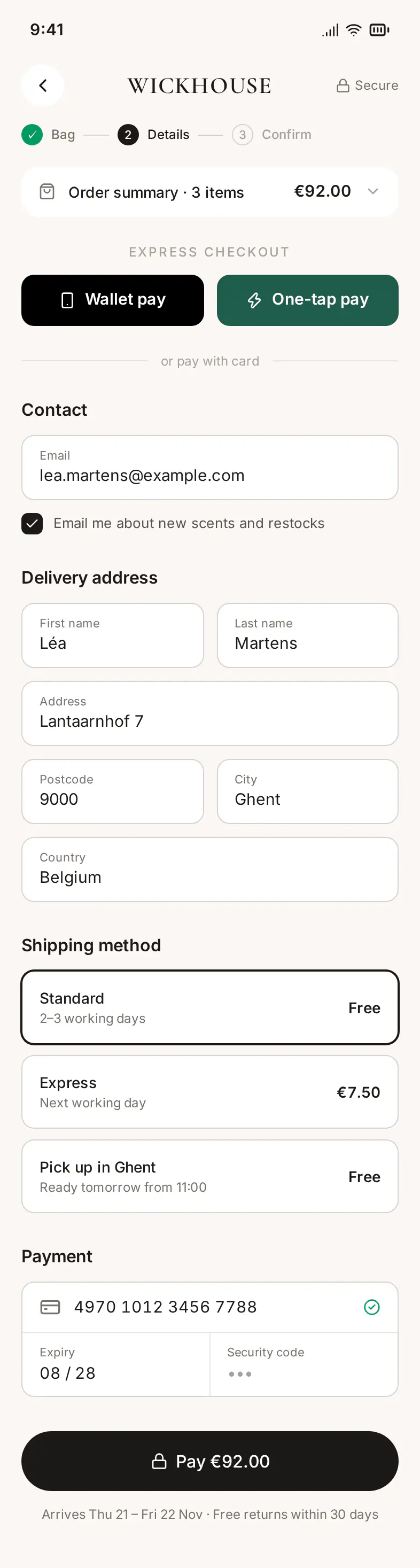
Checkout, 393 wide, 1,467 px tall.
See the whole checkout The whole checkout on a phone: contact, delivery address, three shipping methods, card payment and the Pay €92.00 button.

What makes it editable

  • No stock photos. Each candle is a Candle component drawn in HTML and CSS, with properties for the jar color, the wax and the label: a new scent is a new instance, not a new image.
  • A clickable path. The bag’s Checkout button leads to the checkout frame, so the purchase plays as a prototype in a phone frame.
  • HTML + Tailwind throughout, exportable to React, Vue or HTML with the candle as one typed component. See design to code.

Make your own

  1. Connect your agent to Saymock: Claude Code, Cursor, Codex, ChatGPT or any MCP client.
  2. Paste the prompt with your products; upload your product photos to the workspace if you have them.
  3. Ask for the empty bag and the payment error next to their screens.

More boards in the gallery. See also: mobile app mockups, design review, Saymock for Cursor.

See also

  • SaaS dashboard
  • Landing page
  • Mobile app
  • Onboarding
saymock
Product Agents Developers FAQ Pricing Benchmark Figma MCP alternative Connect your agent Use cases Gallery Guides MCP tools Changelog About Contact Sign in

© 2026 Saymock

Legal notice Terms of use Terms of sale Privacy